Skip to content
ATS Mako
Google for Jobs optimization

Rank Your Jobs on Google Search

The structured-data playbook that gets your job ads into Google's jobs box, so high-intent candidates find your roles first.

30-day free trial. No setup fees, no long-term contracts.

The channel most recruiters miss

Google decides your job ad's fate with data, not budget

When a candidate types a job title into Google, the first thing they see is not a job board. It is the enriched jobs box Google builds from structured data it reads across the web, including from careers pages like yours. Land there and your role shows up in front of active searchers at the exact moment they decide to look, with no per-click bill.

Here is the catch that trips up most teams: eligibility is not a matter of great copy or a big spend. It is decided by JobPosting structured data on a page Google can crawl. Get the fields right and the posting can appear. Miss one required field and it never shows, no matter how good the ad reads. This guide walks the exact markup, the page requirements, and the mistakes that keep job ads invisible, then shows how to ship rankable postings at scale.

Why it is worth winning

A sourcing channel that pays you back

It sits above the job boards, for free

When someone searches "warehouse jobs near me" Google shows an enriched jobs box at the top of the results, ahead of the paid board listings. A posting that qualifies lands in front of high-intent searchers without a per-click bill.

It reaches candidates at peak intent

People type a job title into Google when they are ready to look right now. Ranking there puts your role in front of active candidates the moment they decide to search, not days later in a newsletter.

It rewards your careers page, not a board

Google can index the posting directly from your own domain. That means the click goes to your branded application, keeps the candidate in your funnel, and never rents your traffic back to you.

It is won with data, not budget

Eligibility is decided by structured data on the page, not ad spend. Mark up the posting correctly and it can appear. Miss a required field and it never shows, no matter how good the copy is.

Anatomy of a rankable job ad

Three things every page has to do

Page

One posting lives at one crawlable URL

Each open role needs its own indexable page that Googlebot can reach without a login or a form wall. A branded Apply Here page per role is the cleanest way to give every posting a real, permanent home on your own domain.

Markup

JobPosting schema matches the visible text

The structured data has to describe exactly what a human sees. If the schema says one salary and the page shows another, Google flags a mismatch and drops the listing. Generate the markup from the same source as the copy.

Speed

Fresh, fast, and mobile-first

Most job searches happen on a phone. The page must load quickly, read cleanly on mobile, and carry an accurate datePosted. Stale or slow pages lose to fresher, faster competitors in the same jobs box.

The JobPosting checklist

Every field Google reads, and what to put in it

Mark up the required fields to be eligible. Add the recommended ones to win the click. Make the markup match the visible page every time.

title
Required
The plain job title only, such as "CDL Driver" or "Registered Nurse." No location, salary, or company name stuffed in.
description
Required
The full HTML job description: responsibilities, qualifications, and how to apply. Match it word for word to the visible page text.
datePosted
Required
The ISO date the role went live. Google uses freshness heavily, so an accurate, recent date matters.
hiringOrganization
Required
The legal hiring entity with its name, and a logo and site URL where possible. For franchises, name the local operator.
jobLocation
Required
A full postal address for on-site roles. Every location gets its own posting and address, never one ad for many cities.
jobLocationType
Conditional
Set to TELECOMMUTE for fully remote roles, and pair it with applicantLocationRequirements so Google knows who can apply.
baseSalary
Recommended
A real pay range with currency and unit. Ranges lift click-through and, in many states, publishing pay is now the law.
employmentType
Recommended
FULL_TIME, PART_TIME, CONTRACTOR, and so on. It powers the filters candidates use to narrow the jobs box.
validThrough
Recommended
An expiry date. When a role fills, expiring the posting keeps ghost jobs out of Google and protects your reputation.
identifier
Recommended
Your internal requisition ID. It keeps duplicates from competing and ties the listing back to one pipeline.

A worked example

What the markup actually looks like

Below is an illustrative JobPosting block for a single warehouse role at one location. Notice that every value would also appear in the visible page text, the date is real and recent, and the salary carries a currency and a unit. This is example markup, not live data.

{
  "@context": "https://schema.org",
  "@type": "JobPosting",
  "title": "Warehouse Associate",
  "description": "<p>Full job description, responsibilities, and how to apply...</p>",
  "datePosted": "2026-02-18",
  "validThrough": "2026-03-20",
  "employmentType": "FULL_TIME",
  "identifier": {
    "@type": "PropertyValue",
    "name": "ATS Mako",
    "value": "REQ-4821"
  },
  "hiringOrganization": {
    "@type": "Organization",
    "name": "Your Company",
    "sameAs": "https://yourdomain.com",
    "logo": "https://yourdomain.com/logo.png"
  },
  "jobLocation": {
    "@type": "Place",
    "address": {
      "@type": "PostalAddress",
      "streetAddress": "1200 Distribution Way",
      "addressLocality": "Columbus",
      "addressRegion": "OH",
      "postalCode": "43201",
      "addressCountry": "US"
    }
  },
  "baseSalary": {
    "@type": "MonetaryAmount",
    "currency": "USD",
    "value": {
      "@type": "QuantitativeValue",
      "minValue": 42000,
      "maxValue": 52000,
      "unitText": "YEAR"
    }
  }
}

The playbook

Six steps to postings that rank

  1. 1

    Give every role its own branded landing page

    Ranking starts with a real page Google can crawl. Publish each opening on a dedicated Apply Here page on your own domain, with your logo, colors, and a simple resume submission flow. One role, one URL, no board in between.

  2. 2

    Fill in the required JobPosting fields, every time

    Title, description, datePosted, hiringOrganization, and jobLocation are non-negotiable. A single missing required field makes the posting ineligible. Standardize the fields so no recruiter can publish an incomplete ad.

  3. 3

    Split multi-location roles into one posting per address

    Never advertise ten cities on one page. Google needs a distinct posting and postal address for each site. Per-location Apply Here pages give franchises and multi-brand operators a clean posting for every office.

  4. 4

    Add pay range, employment type, and an expiry date

    The recommended fields decide whether you win the click. A visible salary range, an employmentType filter match, and a validThrough date make the listing richer, more compliant, and cleaner when the role fills.

  5. 5

    Validate the markup before you publish

    Run every posting through Google's Rich Results Test and keep an eye on the Search Console job-posting report. Fix warnings before candidates ever see the page, not after the role sits invisible for a week.

  6. 6

    Capture the applicant the second they click

    Ranking is only half the win. When the candidate clicks through, pull them straight into one pipeline, fire an on-brand first touch, and answer fast. Speed after the click is what turns a Google impression into a hire.

Avoid these

The mistakes that keep job ads invisible

01

Hiding jobs behind a form or a login

If Googlebot cannot reach the posting without submitting a form or signing in, it cannot index it. Every role needs a public, crawlable URL. A gated careers portal is invisible to Google for Jobs.

02

Missing a required structured-data field

Leave out datePosted, jobLocation, hiringOrganization, title, or description and the listing is disqualified with no warning to the candidate. Required means required, and one gap sinks the whole posting.

03

One page advertising many locations

Bundling several cities onto a single ad confuses the location signal, so none of them rank well. Split them. Each city gets its own posting and its own full postal address.

04

Schema that does not match the page

When the markup claims a salary, title, or location the visible page never shows, Google treats it as a mismatch and drops the listing. The structured data and the human-readable copy must agree.

05

Leaving filled roles live forever

Expired jobs that stay indexed become ghost postings. They frustrate candidates, hurt your standing, and can get your postings demoted. Set a validThrough date and expire roles the day they fill.

Ship rankable postings at scale

Every role, its own branded, crawlable page

Google can only rank a job it can crawl. ATS Mako gives every opening its own Apply Here page on your own domain, with your logo, your colors, and a simple resume submission flow. One role, one URL, no board in between and no traffic rented back to you.

For franchises and multi-brand operators, per-location pages keep each posting clean: one role and one full postal address at a time, exactly how Google wants multi-location hiring structured. Update your template once and it deploys everywhere.

Ranking is only half the win. When a candidate clicks through from Google, they land in one pipeline where a status-triggered first touch and two-way SMS keep them engaged, so a search impression turns into a conversation and a hire. From first touch to offer letter, fast, automated, and on your brand.

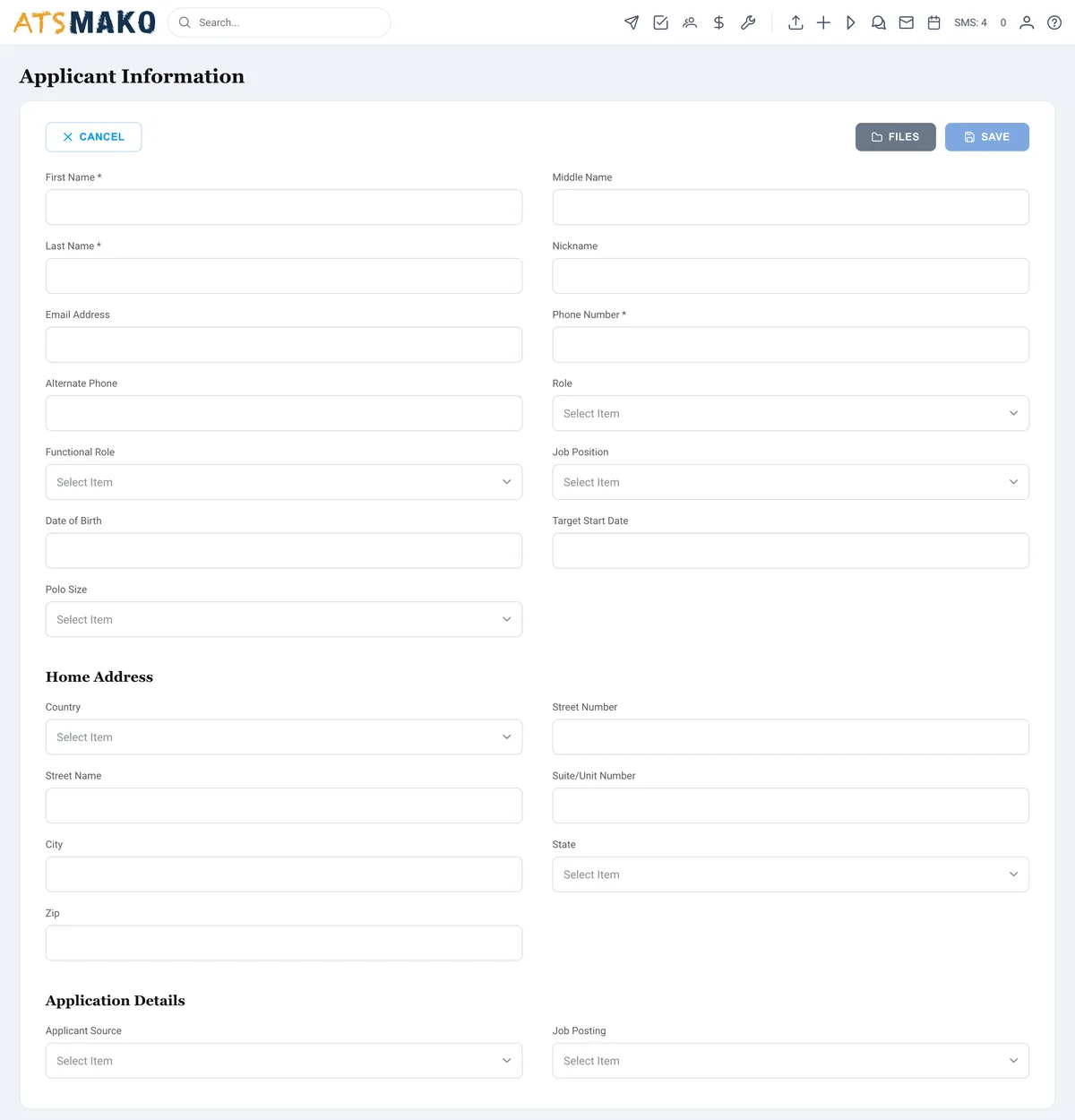
ATS Mako branded Apply Here application page on a company's own domain

Frequently asked

Google for Jobs, answered

What is Google for Jobs and how does it differ from a job board?
Google for Jobs is the enriched jobs box that appears at the top of a Google search when someone looks for work, such as "customer support jobs near me." It is not a board you post to directly. Instead, Google reads structured JobPosting data from pages across the web, including your own careers pages, and assembles the box from what it finds. You do not buy placement. You earn it by publishing a crawlable page with correct structured data.
What structured data does a job posting need to rank?
At a minimum, Google requires JobPosting schema with title, description, datePosted, hiringOrganization, and jobLocation for on-site roles. Recommended fields such as baseSalary, employmentType, validThrough, and identifier make the listing richer and more competitive. The markup must match the visible text on the page exactly, or Google will flag a mismatch and drop the posting.
Do I need one page per job for Google for Jobs?
Yes. Each open role should live at its own crawlable URL with its own JobPosting markup. For roles across multiple locations, publish a separate posting with a distinct postal address for each site rather than listing many cities on one page. A branded Apply Here page per role or per location is the cleanest way to give every posting a permanent home on your own domain.
Why is my job posting not showing in Google for Jobs?
The most common causes are a missing required field, a page Googlebot cannot crawl because it sits behind a form or login, structured data that does not match the visible page, an expired or absent datePosted, or one page trying to cover many locations. Run the posting through Google's Rich Results Test and check the job-posting report in Search Console to see the specific issue.
Should I include a salary range in the job posting?
Yes. A real pay range with a currency and unit is a recommended field that tends to lift click-through, and in a growing number of states publishing pay is now a legal requirement. Use a genuine range that matches the visible page. Never mark up a salary the candidate cannot see on the posting.
How does ATS Mako help my job postings rank on Google?
ATS Mako gives every role a branded Apply Here page on your own domain, so each posting has a real, crawlable URL with your logo, colors, and a simple application flow. Per-location pages keep multi-brand and franchise postings clean, one role and one address at a time. And when a candidate clicks through from Google, they land in one pipeline where an on-brand first touch and instant SMS keep them engaged, so ranking turns into a hire.

Get your jobs in front of Google's searchers

Branded, crawlable job pages with the structured data built in, plus instant follow-up the moment a candidate clicks.

Designed for speed. Built for scale.