
Everything new in ATS Mako.
AI agents that text and call applicants, a dialer in your browser, video interviews built into the interview calendar, an employee portal with timesheets and time off, new HR and sales reports, and a designer for the page candidates apply on.
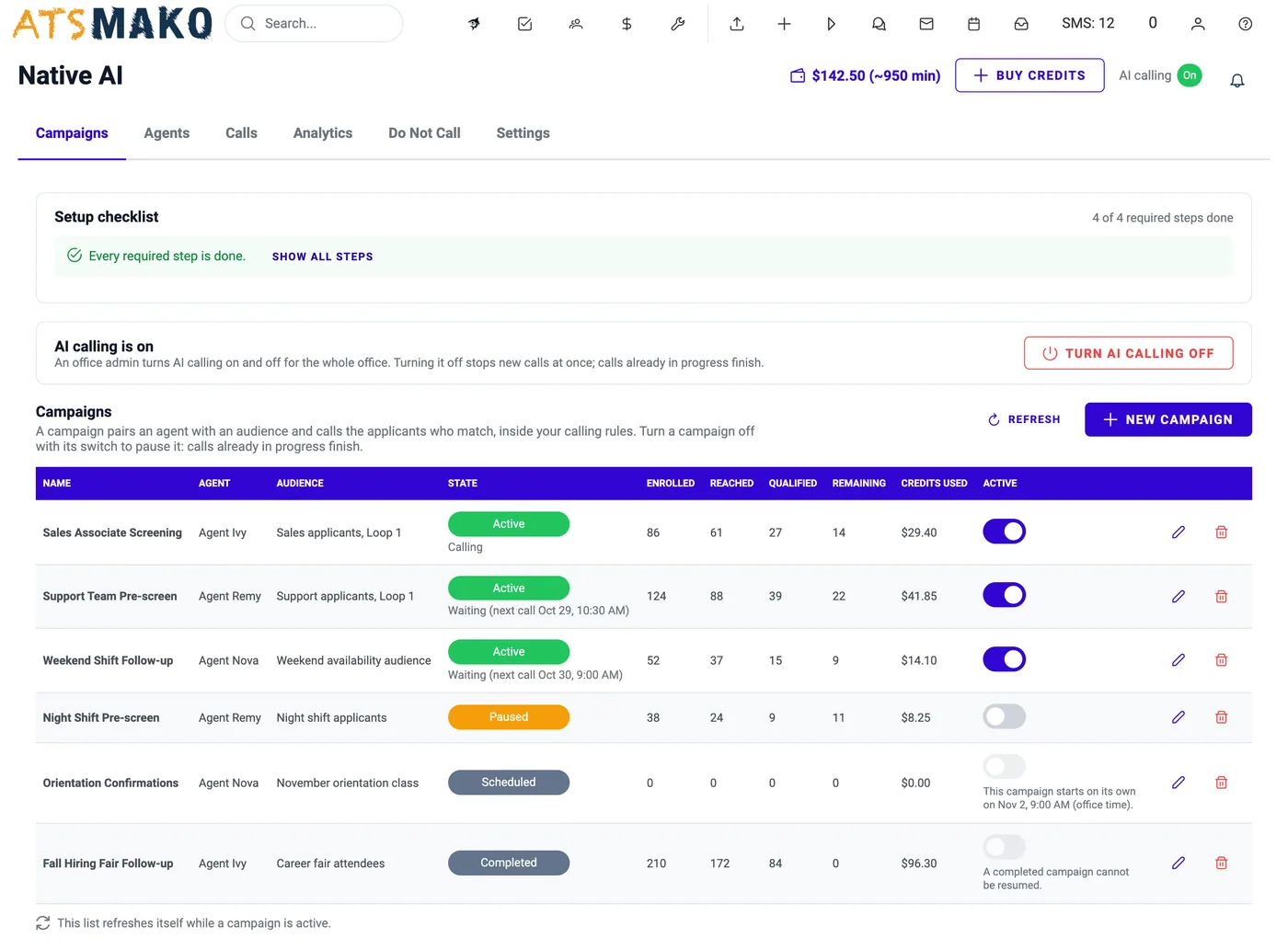
Native AI: AI Phone Screening for Applicants
An AI voice agent calls the applicants you choose, only inside permitted hours, asks your qualifying questions, and records an outcome, a summary, a transcript, and the call itself.
- Calls only between 8 AM and 9 PM on the applicant’s own clock
- Opens every call by saying it is an AI assistant and that the call is recorded
- Eleven possible outcomes, plus a summary, transcript, and recording for every call
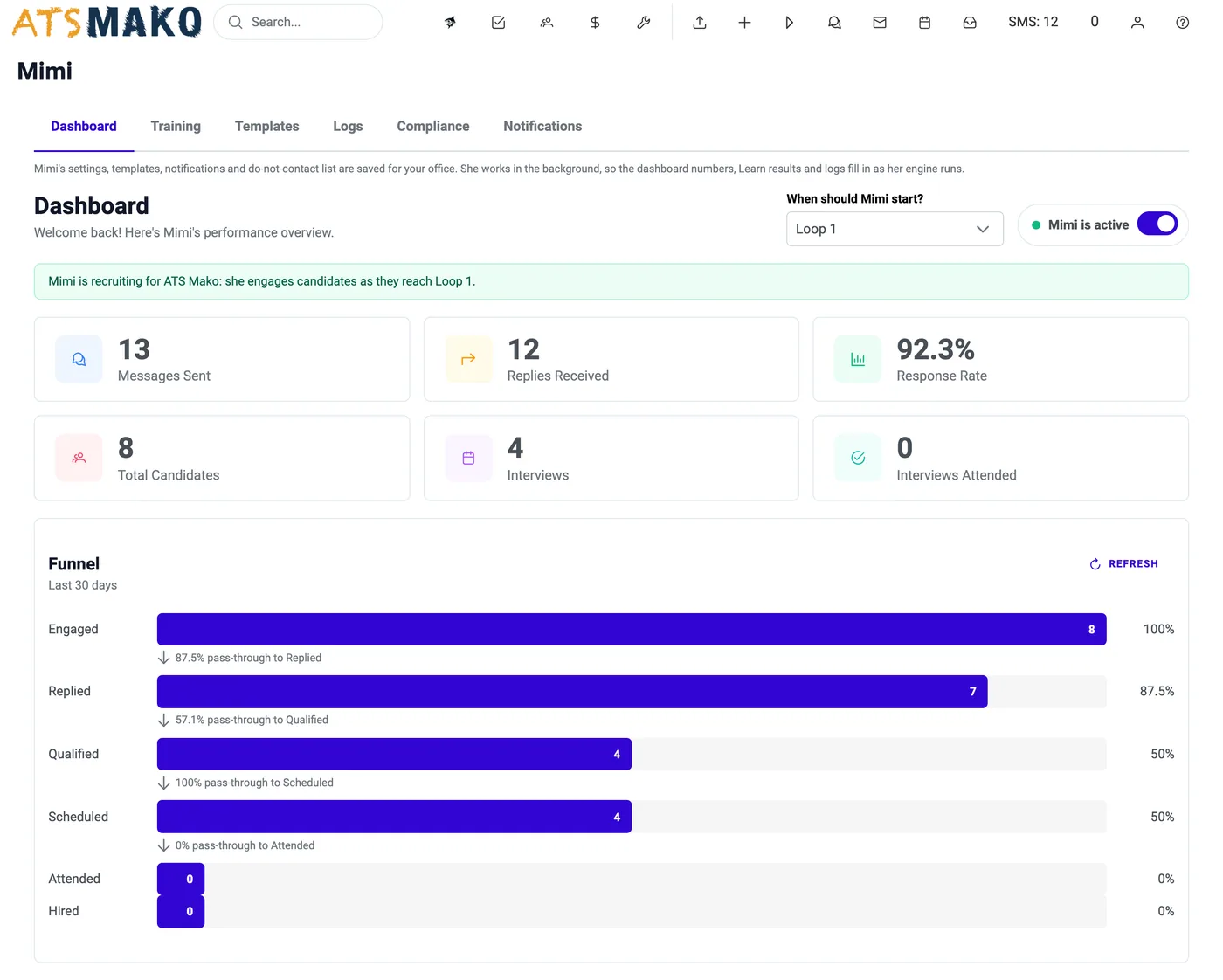
Mimi, the AI Recruiting Agent
Mimi is an AI recruiting assistant that works by text message. She starts the conversation, follows up when applicants go quiet, reads replies, and reminds them before the interview, using only your templates.
- Texts applicants when they reach the sub-status you choose
- Follows up when they go quiet, reads replies, and flags who needs a person
- Every text is one of your own templates, and quiet hours are enforced
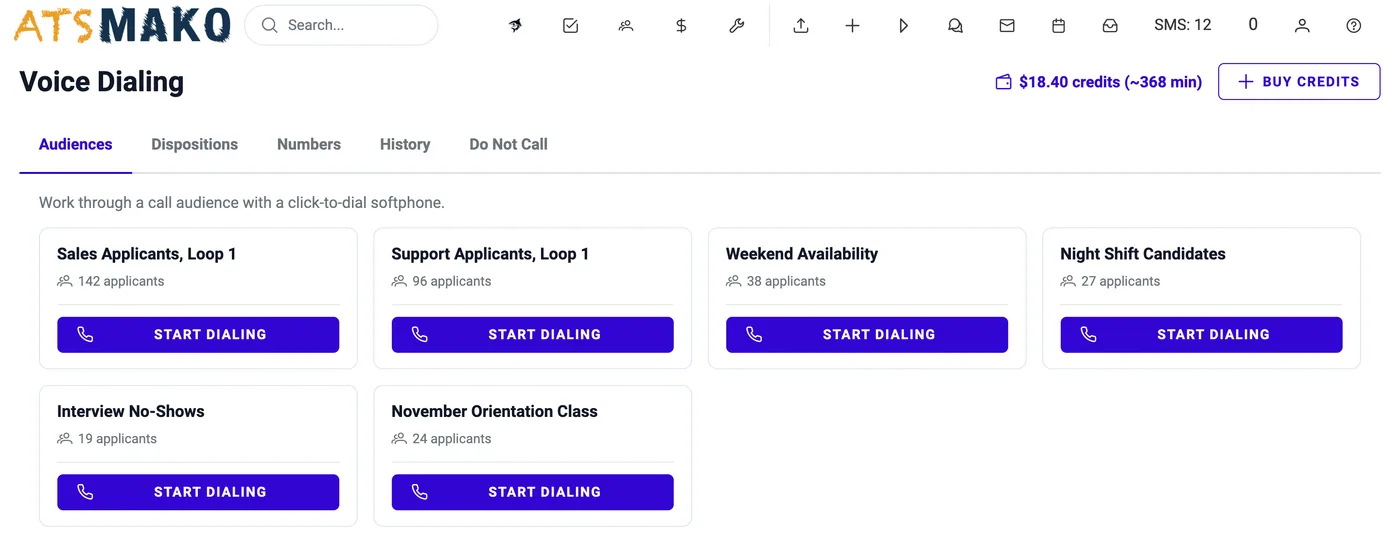
Voice Dialing: Browser-Based Calling for Recruiters
Phone applicants straight from ATS Mako: no extra app, no extra tab. The dialer works through a call audience one applicant at a time while you log the result and move the applicant on, on the same screen.
- Calls from your browser with a headset, no extra app or tab
- The applicant’s whole profile sits beside the dialer
- Dispositions, call history with recordings, and a shared Do Not Call register
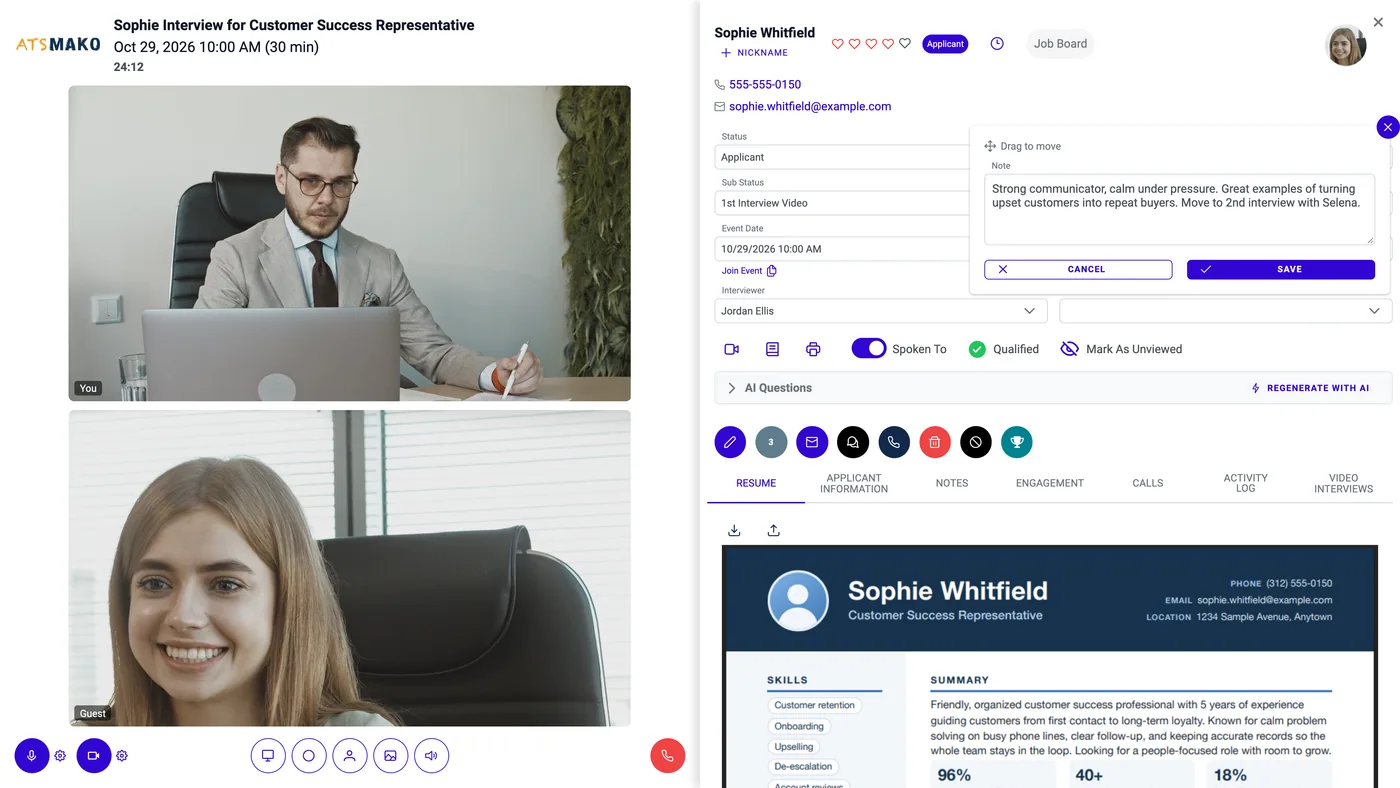
Built-In Video Interviews
Book an interview and the video room already exists. The applicant joins from a link in any modern browser, and their whole file opens beside the video (details, notes, resume, files, and AI questions) so you never leave the meeting.
- Every scheduled interview gets its own private video room automatically
- Applicants join from a link in any modern browser: no account, nothing to install
- Open the applicant’s profile beside the video without leaving the meeting
AI agents and assistants
Work that used to take a person now takes a click, a text, or a phone call.
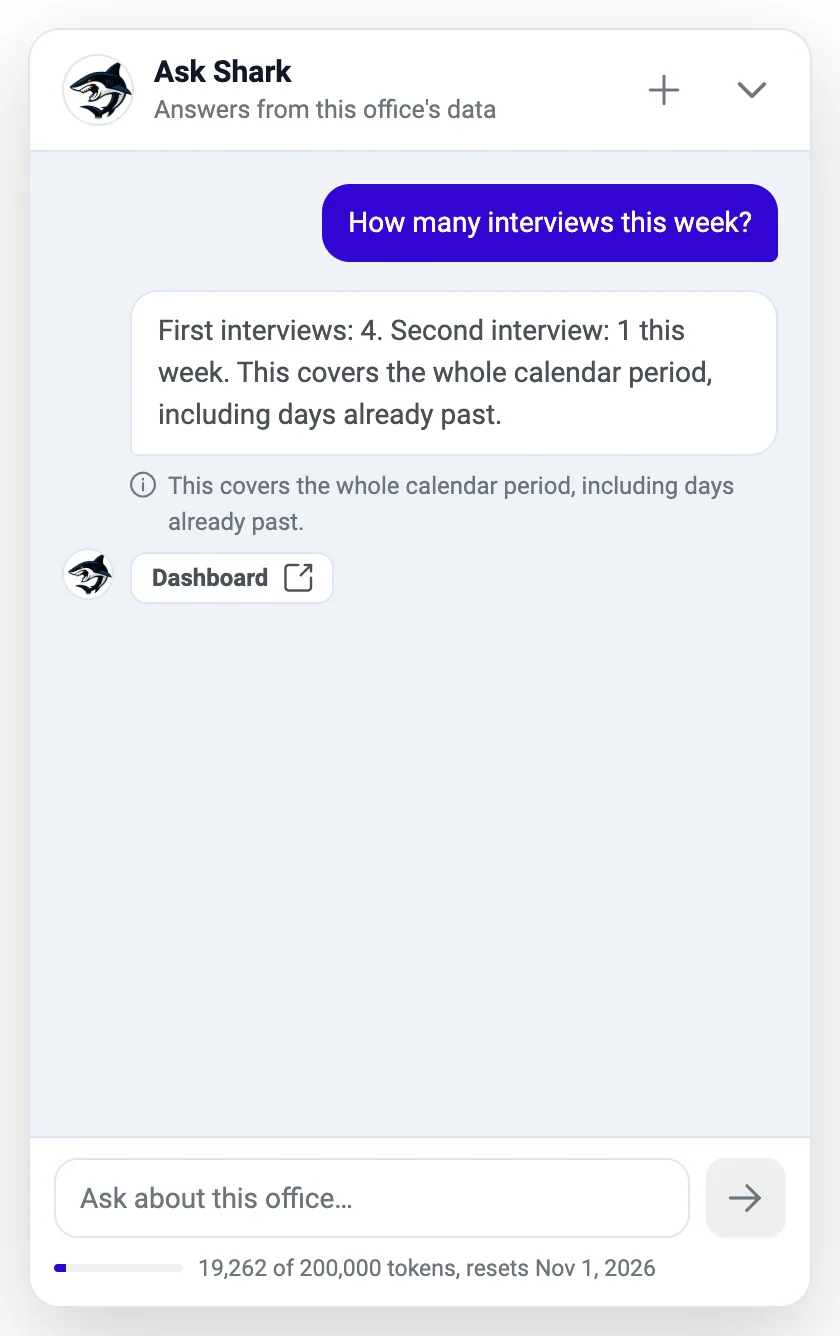
Ask the Shark: AI Assistant for Your Recruiting Data
Ask questions about your office’s data in plain English and get the answer in seconds.
Native AI: AI Phone Screening for Applicants
AI voice agents phone-screen your applicants and write the outcome, summary, and recording back to the profile.
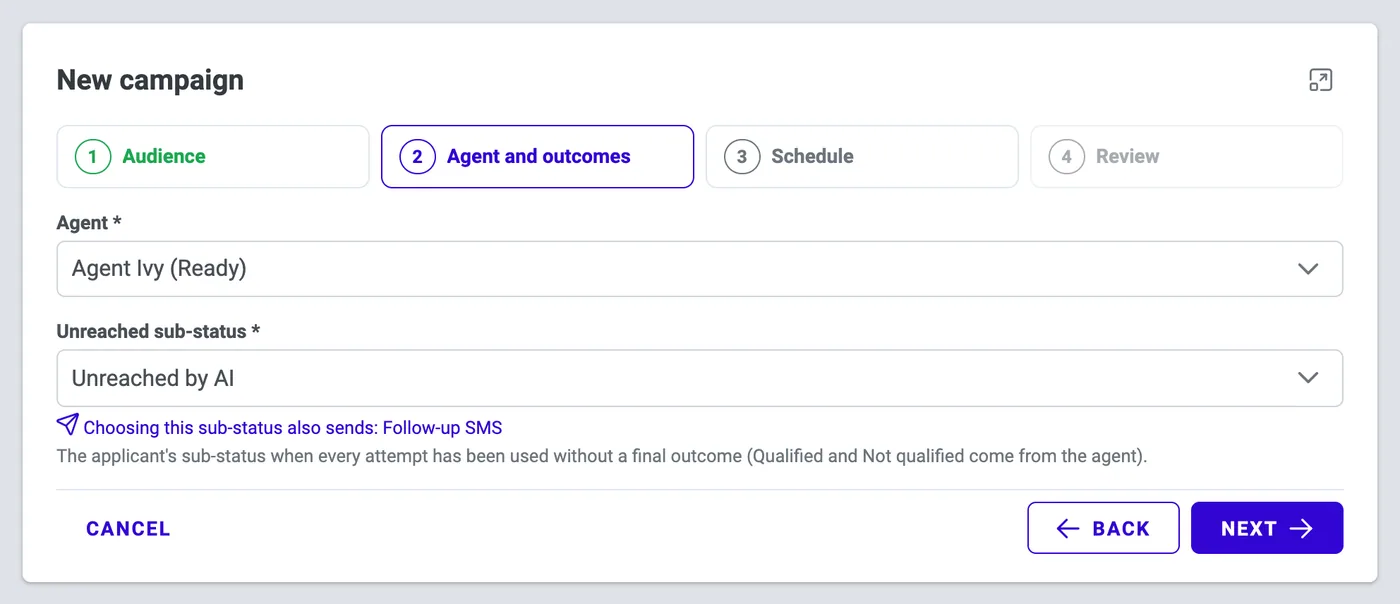
Native AI Campaigns: Bulk AI Phone Screening
Pair an agent with an audience, set the rules, and launch AI phone screening across hundreds of applicants.
Mimi, the AI Recruiting Agent
Mimi texts applicants, follows up, reads replies, flags who needs a person, and sends interview reminders.
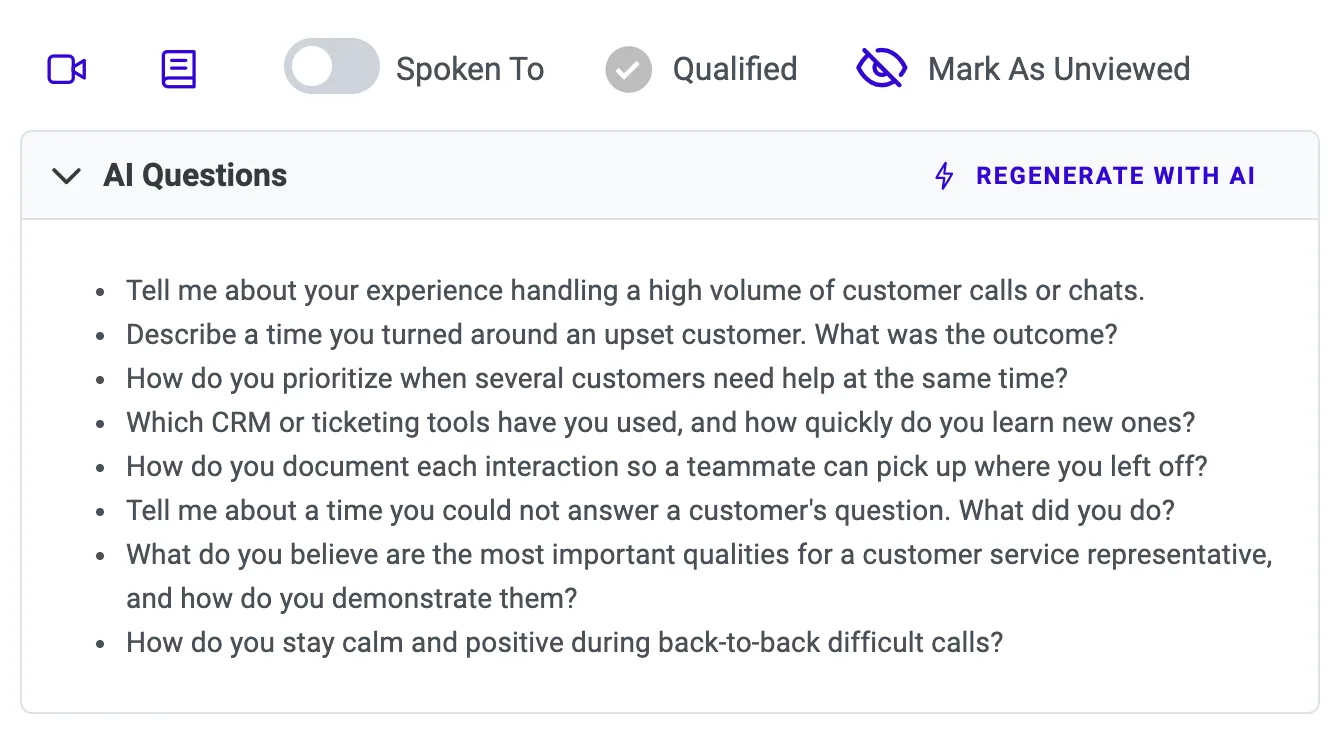
AI-Generated Help: Interview Questions, Emails & Job Descriptions
Generate with AI: tailored interview questions, email drafts, job descriptions, and your company description.
Calling, video, and messaging
Talk to applicants and to your own team without leaving the record.
Voice Dialing: Browser-Based Calling for Recruiters
Call applicants one after another from your browser, with the full profile in front of you.
Built-In Video Interviews
Every scheduled interview has its own video room. Applicants join from a link, with nothing to install.
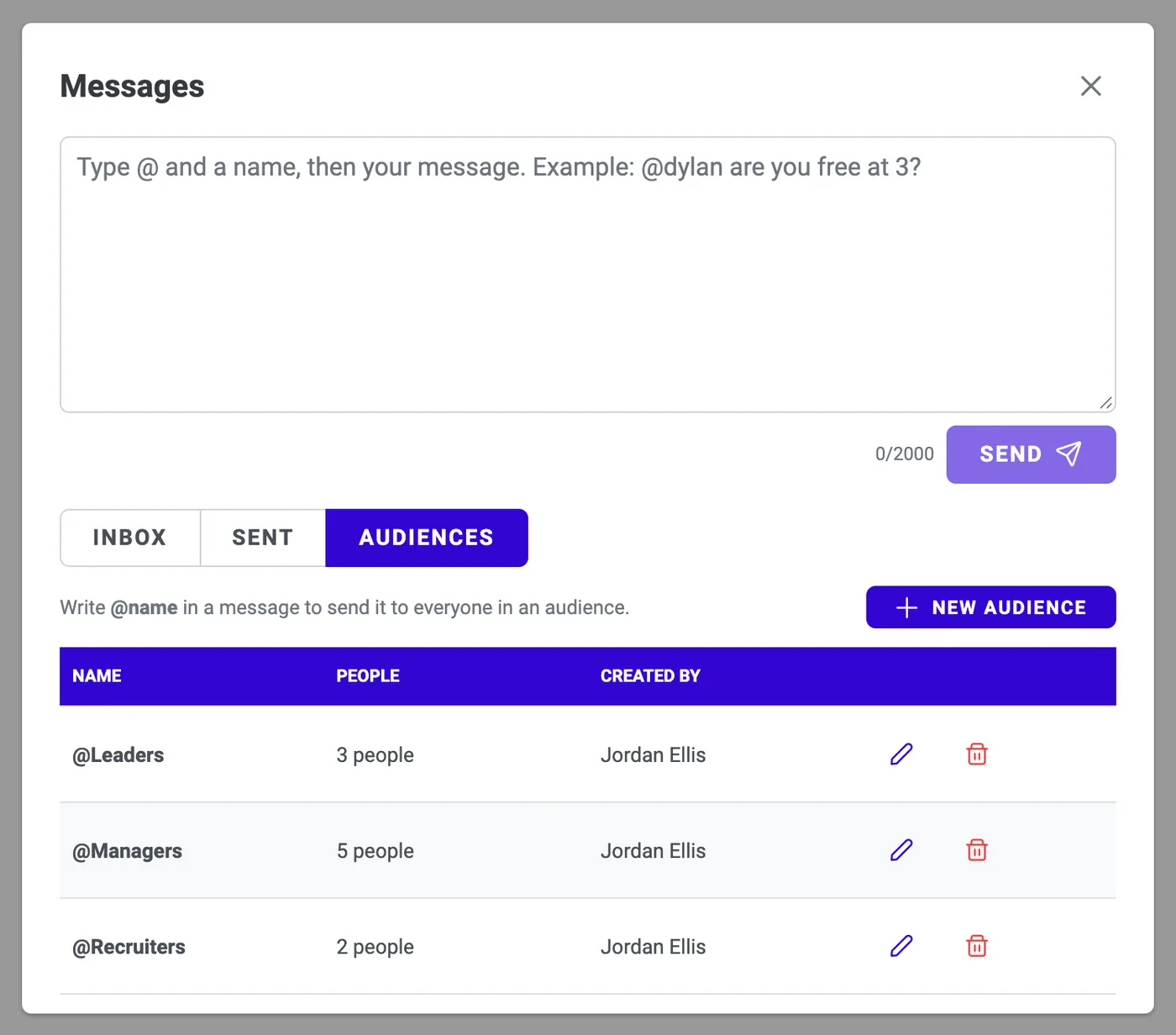
Messages Inside Mako: Team Chat for Your Office
Message colleagues with @name, @all, or your own group tags, without leaving ATS Mako.
Employees and HR
Keep going after the hire: portal, time off, pay periods, reviews, and structure.
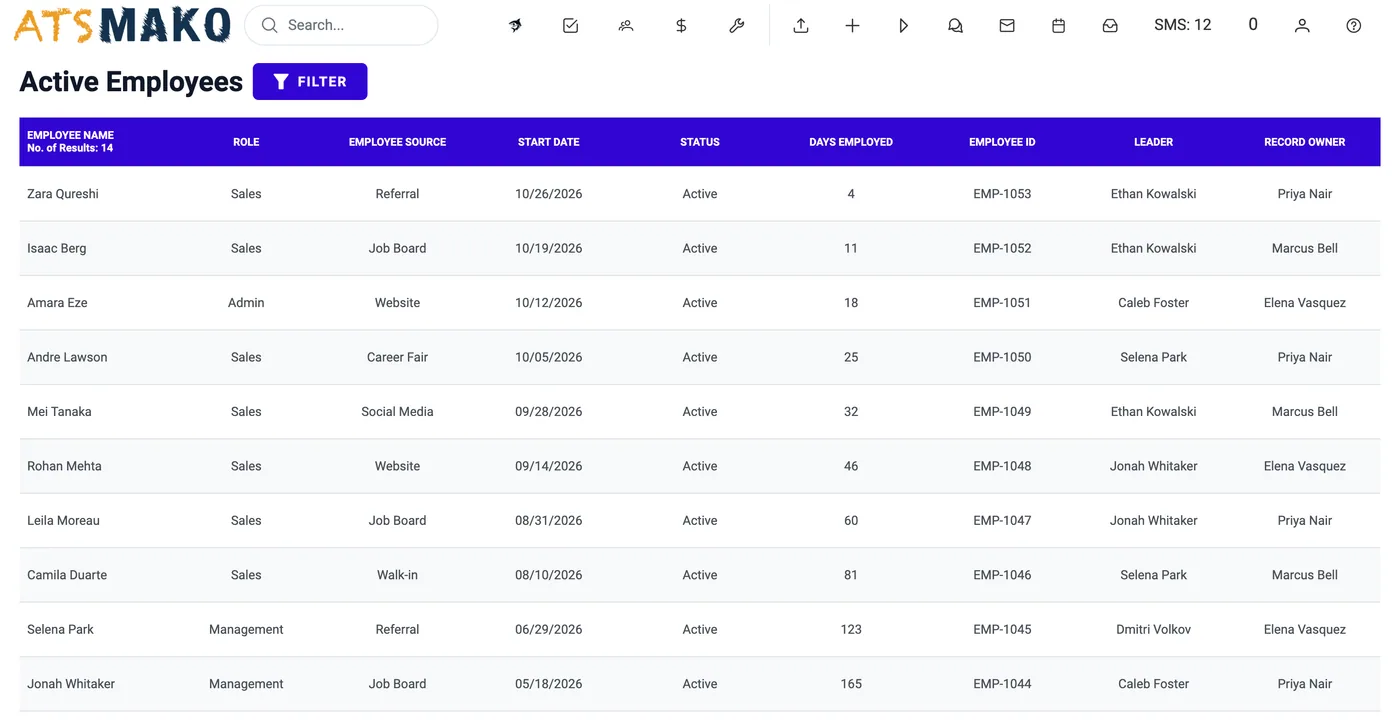
Employees Module & Employee Portal
Employee logins, weekly timesheets, time off, credentials, and reviews, with approvals for leaders.
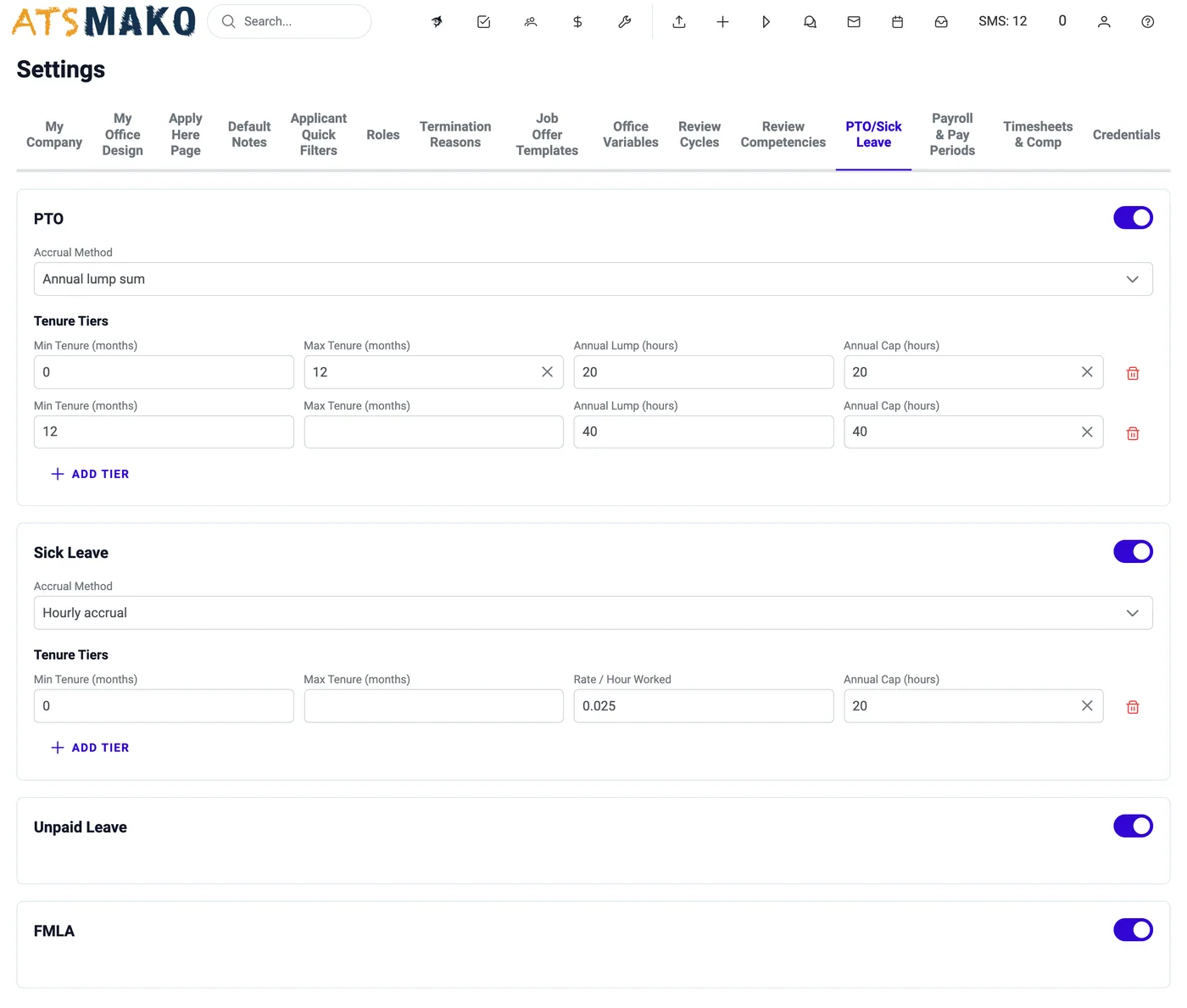
HR Settings: PTO, Payroll Periods, Reviews & Credentials
Configure review cycles, PTO accrual, pay periods, overtime, commission, and credentials.
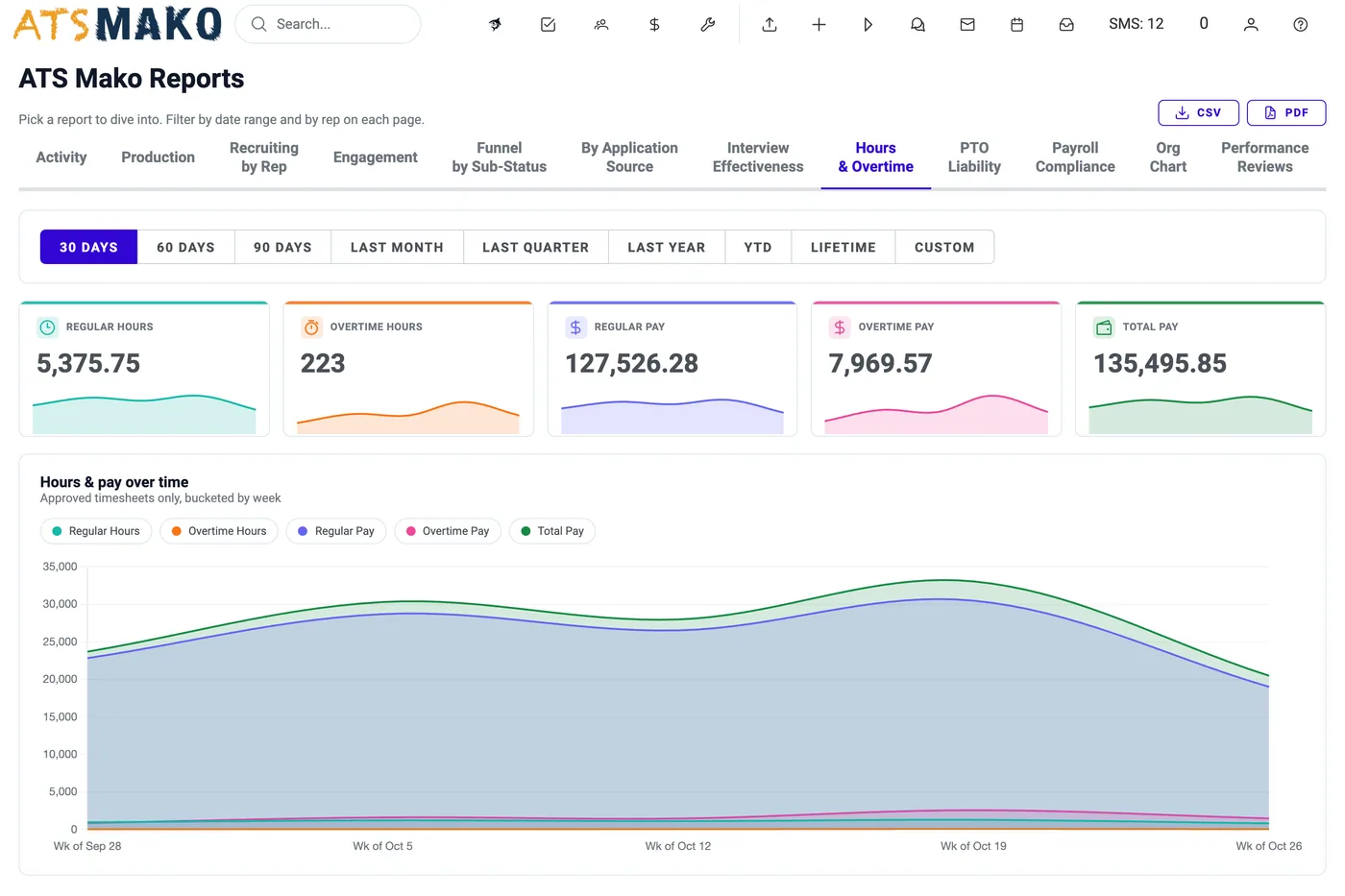
HR Reports: Hours, Overtime, PTO Liability & Reviews
Hours & Overtime, PTO Liability, Payroll Compliance, and Performance Reviews, with CSV and PDF export.
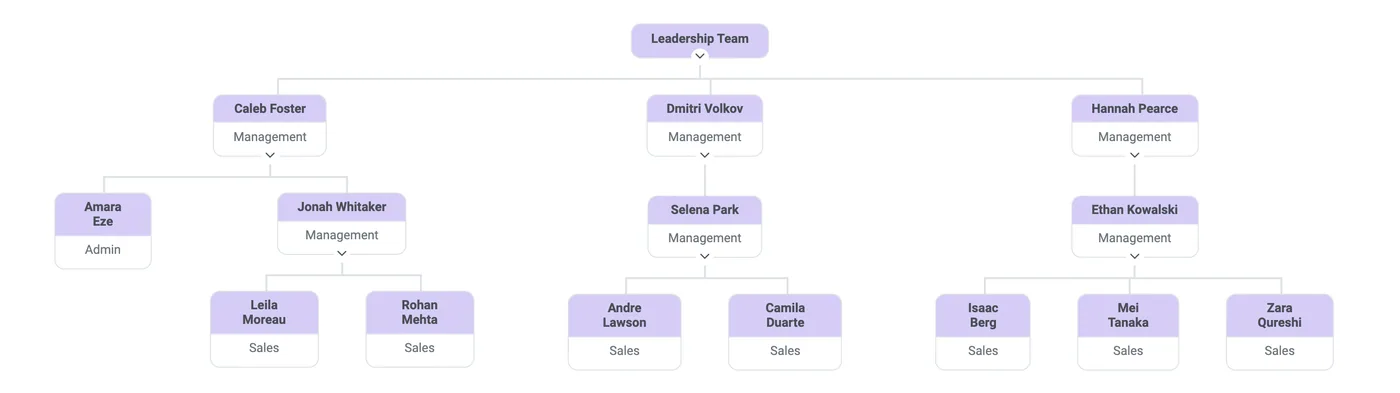
Org Chart
An always-current chart of your team and its leaders, built from each employee’s Assigned Leader.
Sales reporting and apply pages
Know what your team earned, and design the page candidates apply on.
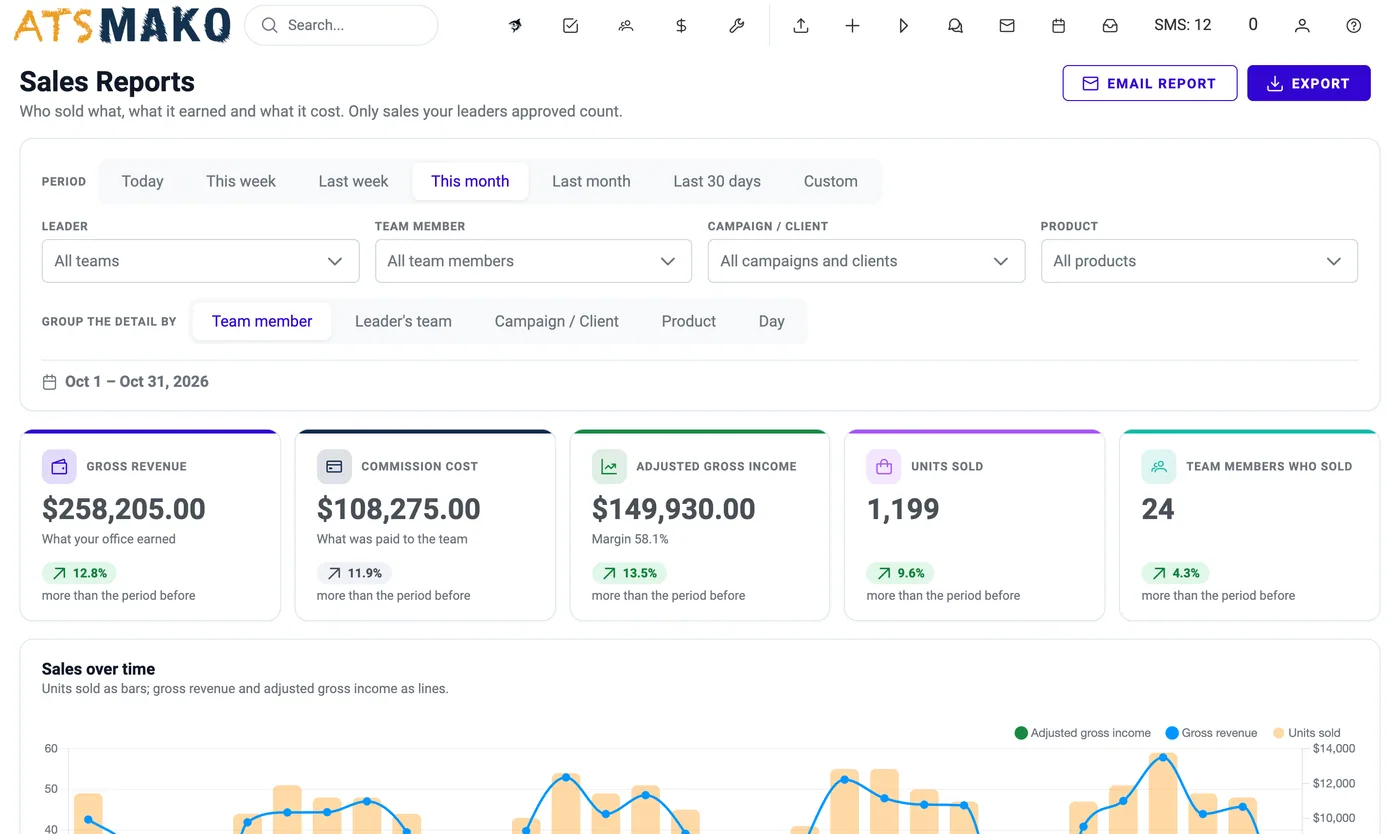
Sales Reports: Revenue, Commission & Adjusted Gross Income
Revenue, commission cost, and adjusted gross income from approved timesheets, with Excel, PDF, and CSV export.
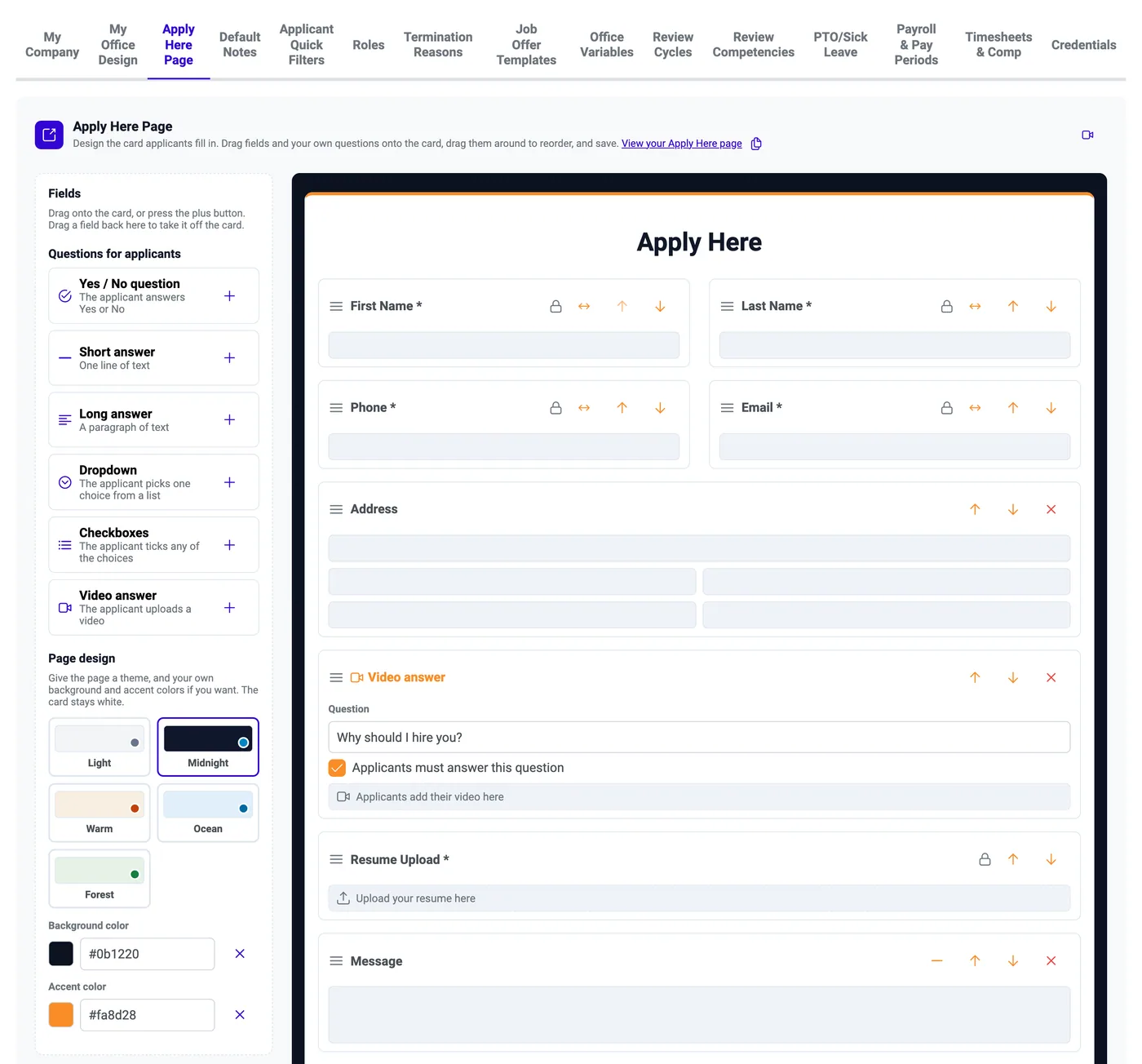
Apply Here Page Designer
Design your public application form: themes, colors, field order, custom questions, and video answers.
Every new feature, and where it lives.
Most are one click from the top bar. Hover over an icon to see its name.
| Feature | What it does | Where to find it |
|---|---|---|
| Ask the Shark | Ask questions about your office’s data in plain English and get the answer in seconds. | Floating shark button on every page |
| Native AI Phone Screening | AI voice agents phone-screen your applicants and write the outcome, summary, and recording back to the profile. | HR › Applicants › Native AI |
| Native AI Campaigns | Pair an agent with an audience, set the rules, and launch AI phone screening across hundreds of applicants. | HR › Applicants › Native AI › Campaigns |
| Mimi AI Recruiter | Mimi texts applicants, follows up, reads replies, flags who needs a person, and sends interview reminders. | Admin › Configuration › Mimi |
| AI Writing Help | Generate with AI: tailored interview questions, email drafts, job descriptions, and your company description. | Applicant panel, Job Postings, My Company |
| Voice Dialing | Call applicants one after another from your browser, with the full profile in front of you. | HR › Applicants › Voice Dialing |
| Video Interviews | Every scheduled interview has its own video room. Applicants join from a link, with nothing to install. | Join Event link; Interview Calendar |
| Team Messages | Message colleagues with @name, @all, or your own group tags, without leaving ATS Mako. | Inbox icon in the top bar |
| Employee Portal | Employee logins, weekly timesheets, time off, credentials, and reviews, with approvals for leaders. | HR › Employees; Employee login |
| HR Settings | Configure review cycles, PTO accrual, pay periods, overtime, commission, and credentials. | Admin › Configuration › Settings |
| HR Reports | Hours & Overtime, PTO Liability, Payroll Compliance, and Performance Reviews, with CSV and PDF export. | Admin › Reports |
| Org Chart | An always-current chart of your team and its leaders, built from each employee’s Assigned Leader. | Admin › Reports › Org Chart |
| Sales Reports | Revenue, commission cost, and adjusted gross income from approved timesheets, with Excel, PDF, and CSV export. | $ icon in the top bar |
| Apply Page Designer | Design your public application form: themes, colors, field order, custom questions, and video answers. | Settings › Apply Here Page |
Permissions stay in your hands.
New features that spend money, call applicants, or show sensitive reports are switched on per user, so you choose who can use them.
- Native AI
- Off by default. Needs the Native AI permission, even for office admins.
- Voice Dialing
- Off by default. Needs the Voice Dialing permission (plus Audiences to manage call audiences).
- Sales Reports
- Off by default. Needs the Sales Reports permission, even for administrators.
- Messages: @all and groups
- Need the “Message all users” and “Manage message audiences” permissions. One-to-one chat is open to every signed-in staff user.
- Mimi and HR settings
- Open to anyone with the Settings permission. Changing anything needs an office administrator.
- HR and org chart reports
- Open to users with the Reports permission. PTO Liability, Payroll Compliance, and Performance Reviews are limited to administrators.
See the new ATS Mako for yourself.
Start your 30-day free trial or book a demo and we will walk you through the features that matter to your team.
30-day free trial · No setup fees · No long-term contracts